
Build 10x products in minutes by chatting with AI - beyond just a prototype.
Topics
What’s the difference between project management software and task management tools?
Can non-technical founders use Rocket.new?
Do collaboration tools replace meetings?
Are free plans enough for businesses?
Teams get more done with less stress by using the right collaboration and project management tools. Let's see the practical software recommendations to help teams work smarter, stay organized, and boost productivity.
Why do some teams seem to get more done with less stress?
I’ve been there watching projects, tasks, and notifications pile up while my team scrambled to stay on top. That’s when I realized the right software doesn’t just helpcit changes how work actually happens.
Tasks get done, teams talk less in circles, and results start showing up without constant chaos.
Research backs it up: 75% of businesses report that using better collaboration tools and project management systems helped them reach growth targets.
In this blog, I’m sharing the best software tools I’ve seen make teams work smarter, not harder. Expect practical tips and my personal notes.
I used to think software was just about automating repetitive stuff. Then I tried tools that actually organized work, and wow, it changed how my team operated. Suddenly, projects didn’t feel like juggling knives.
Project management software became my go-to compass. It shows who’s doing what, what’s overdue, and what’s next. It saves the headache of “who’s responsible for this again?” emails and endless chat threads.
Good tools also make scaling less scary. Deadlines become manageable, tasks are visible, and everyone’s on the same page. Honestly, seeing a project flow without constant firefighting? Feels like a small victory every time.
Keeping everyone on the same page can feel impossible when your team is scattered across different locations. That’s where collaboration tools come in. They make communication smoother, files easier to share, and tasks clearer so you spend less time chasing updates and more time actually getting things done.
I use Teams when my team needs everything in one place. Chats, video calls, files they all live together. If you’re already in the Office ecosystem, it feels natural.
Good for:
Limitations: Can feel bulky for very small teams. Some features require extra learning.
Pricing: Free plan with basic features. Paid plans are billed per user per month for Microsoft 365 bundles.
I’ve noticed that Teams keeps remote squads connected, even if they’re drinking coffee in different time zones.
Slack is my go-to when I want messaging that doesn’t get messy. Channels for teams or tasks make updates easier to follow. Integrations help notifications stay in one place.
Good for:
Limitations: Free plan limits message history and integrations. Can get noisy.
Pricing: Free plan with basic options. Paid plans start per user per month.
Slack feels like texting at work fast, intuitive, and less painful than digging through threads.
Project management tools are my lifeline for planning and tracking work. Assigning tasks, setting deadlines, and checking progress in one place saves a ton of mental energy.
Asana is like a friendly assistant for your projects. Workflows are visual, tasks can be split into steps, and assignments are obvious.
Good for:
Limitations: Can feel overwhelming for very small teams. Some advanced reporting features require paid plans.
Pricing: Free plan available. Paid plans start per user per month.
Jira is my pick for software teams using agile methods. Bugs, sprints, backlogs it handles it all. Plus, boards, timelines, and reports make the software development lifecycle smooth.
Good for:
Limitations: Steep learning curve for non-technical teams. Can feel heavy for simple tracking.
Pricing: Free plan for small teams. Paid plans start per user per month with advanced workflow features.
Even non-dev teams I’ve worked with appreciate Jira when they need structure.
Trello is the lightweight, drag-and-drop option. It doesn’t overcomplicate things, which is refreshing.
Good for:
Limitations: Not ideal for complex projects. Lacks reporting dashboards without add-ons.
Pricing: Free plan with unlimited boards. Paid plans are billed per user, per month, for advanced features.
It’s a perfect starting point for teams learning to manage multiple tasks.
Working remotely can be tricky. I’ve seen distributed teams miscommunicate because everyone had different files, versions, or apps. Collaboration tools save that headache.
Top Tools and Features:
These tools give teams shared space, keep everyone aligned, and reduce the mental load of managing distributed work.
For dev teams, version control, pull requests, and documentation are lifesavers.
I rely on:
Pull requests and code reviews make sure software quality stays high. Good documentation keeps technical expertise accessible.
AI tools feel like having a tireless assistant. They can write content, analyze data, and even create visuals while I focus on bigger decisions.
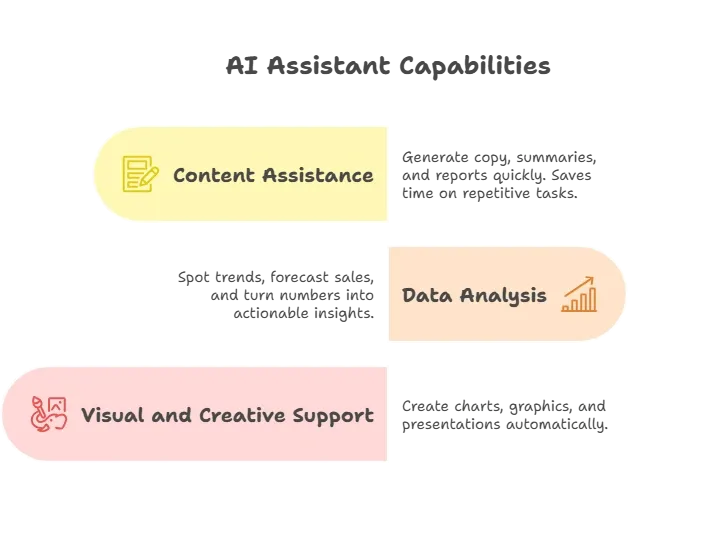
AI doesn’t replace humans it makes work feel lighter and smarter.
Big projects need big oversight. Resource and portfolio tools help me track who’s working on what, budgets, and priorities without constantly asking around.
Top Tools and Features:
I’ve found that these tools make planning simpler, execution smoother, and deadlines less terrifying.
Here’s a Reddit post:
“Rocket just getting great feedback and 400k users in just 16 weeks. … I’m going to take a look but wondered if anyone has used it yet.”
When it comes to turning ideas into working apps quickly, Rocket.new is a game-changer. I’ve seen teams take concepts from text to prototype without spending days on coding.
I have to give Rocket.new a shoutout. It’s this AI app builder that turns text prompts into actual apps. No code, no crying over syntax errors.
Top Features:
Rocket.new makes building software tools easy because it handles the heavy lifting. You can create dashboards, task trackers, or project management apps without needing engineering skills.
Example
We could use Rocket.new to quickly spin up an internal tool like Fynix , our stakeholder feedback and NPS tracker. Imagine capturing feedback across channels, analyzing sentiment, flagging drops in customer health, and turning it all into real-time insights all without writing a single line of code.
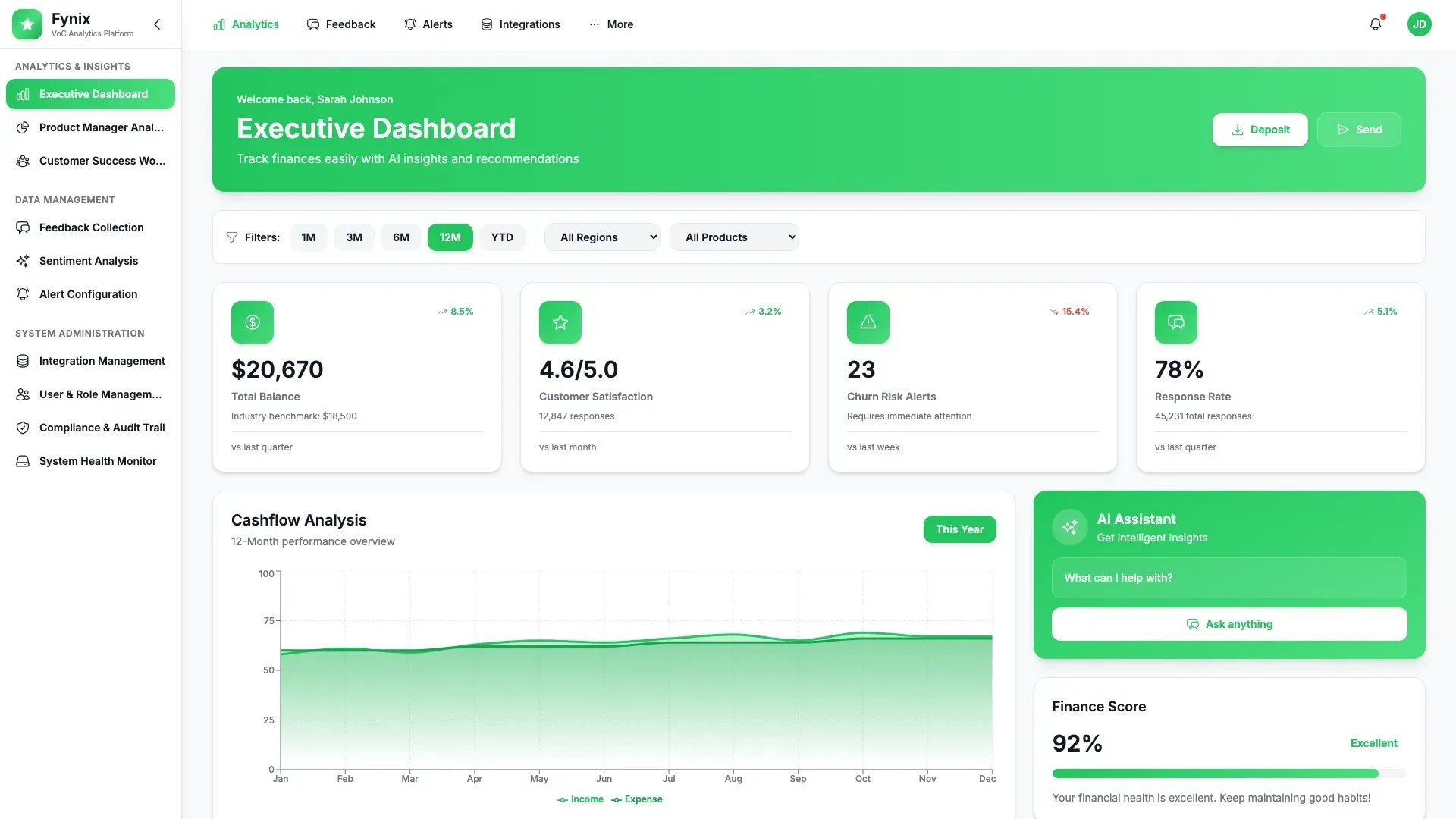
Everything from the front end to the backend is generated automatically, so teams can focus on designing workflows, testing ideas, and getting things in front of users fast.
With Rocket.new, building useful software tools doesn’t have to be a headache. It’s like having a mini development team at your fingertips fast, flexible, and surprisingly capable.
Once you see your ideas come to life in hours instead of days, it’s hard not to get a little excited.
Here’s my simple rule:
No tool is perfect, but the right fit makes growth feel less like juggling chainsaws.
When work piles up, the real issue isn’t effort it’s visibility and connection. Teams struggle juggling tasks, communication, and expectations.
The fix is tools that bring clarity, connection, and a shared workspace. Collaboration software and project management tools keep things moving without the usual headaches.
The main takeaway? The best software tools help your team see what matters, communicate clearly, and follow through on plans. Growth can feel organized maybe even enjoyable.